Clanker Cloud
 Finds the signal.
Scout
Research AgentCurious by nature. Always checks the source.
Give a research Agent your sources and a question. Get a comparison, a brief, and the evidence to check it.
Explore research with an AgentBig ideas. Good company.
Bring your ideas. Your AI crew researches, writes, and builds, learning from what you save. You stay in control.
$20 in free credits · No credit card required
“Turn these notes into a client update. Flag what’s missing.”

Prepare a client update for your review
The website copy is approved. Three page designs are ready for review.
A few good Clankers
Big personalities. Useful little obsessions.
Meet a few of the specialists you could make your own.
Finds the signal.Give a research Agent your sources and a question. Get a comparison, a brief, and the evidence to check it.
Explore research with an Agent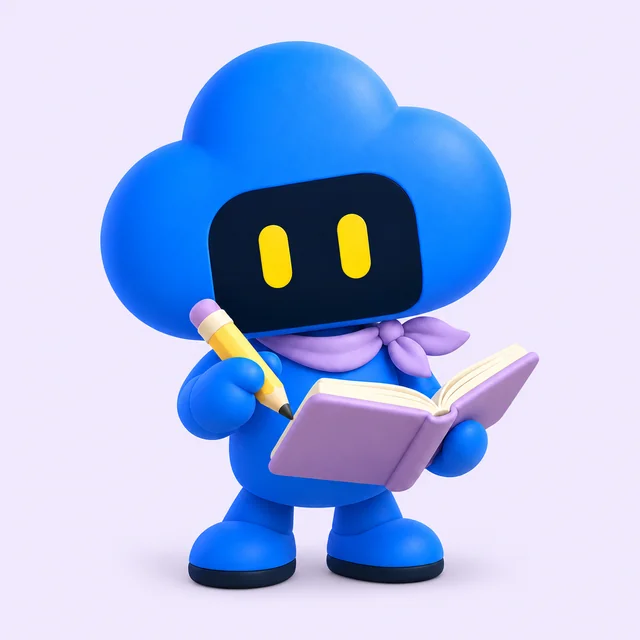 Makes it clear.
Give Secretary your notes, examples, and the way you like things written. Refine its instructions as you work, and get drafts you can shape, check, and keep.
Explore writing with an Agent Makes it work.
Give an app-building Agent your data and an idea. Get a private tracker or dashboard to try, refine, and share when ready.
Explore building with an AgentScout, Secretary, and Patch are example custom Agents. Choose their instructions and tools in Workspace.
There’s a method to the magic
Give the work a place to live and an Agent a clear job.
The next useful thing starts there.
The brief. The notes. That spreadsheet. Keep them in a Project with your goal and instructions, so the work has somewhere to start.
Give your project a homeChoose or create an Agent for the job. Give it the knowledge, Skills, and Tools it needs, then ask it to research, write, or build.
Put an Agent to workReview the result, ask for a change, and save what works. Your files and instructions are there for the next job. Set up a Schedule when you want work to repeat.
Make the work repeatableCurious about the writing example? Try the fictional notes, prompt, and review checklist.
There’s room for one more
A detail detective? A deadline whisperer? A specialist in that very specific thing you do? Give your Clanker a name, a little personality, and a clear job. Make its expertise your own.
Define what it should help with, how it should sound, and what a good result looks like.
Add your instructions, examples, and Skills. Choose the files, connections, and tools it can use.
Run a real task, review the result, and save useful feedback in its instructions. Keep it for yourself or share a copy.
Your examples, saved knowledge, and useful corrections give your Agents more to build on. Refine their instructions and keep the lessons that matter, so the next task starts with what you’ve already taught them.
A little character.
A lot of you.
Your weekly report specialist
“Turn project notes into a weekly report. Keep progress, blockers, and next steps separate. Flag missing facts.”
Save it in Secretary’s instructions, then reuse it for the next update.
You choose who can use it
Let someone add a copy to their Workspace.
Share a reviewed version for others to discover.
The magic comes with a clear view
With your own Agents, you can see the setup, follow the recorded work, and open the results. Choose their access and decide what gets shared.
Choose the files, connections, and tools your Agents can use. Review their access and set the approval mode that fits the job.
Inspect your own Agent’s instructions and selected tools. Review recorded activity, source links, and saved outputs, then ask for a correction.
Download your files, decide what to share, and disconnect services when you no longer need them. Your work stays reviewable and reusable.
Hosted work uses cloud services and model providers. See how your data is processed, retained, and deleted.
What can you do?
Describe the result. Give Clanker the context.
Review what it makes.
Research the web, compare uploaded documents, analyze data, and keep source links with the answer.
“Compare these proposals and explain the trade-offs.”
Turn notes and data into documents, spreadsheets, PDFs, charts, and project files you can preview, download, or share.
“Turn these notes into a report and a next-steps table.”
Describe a dashboard, tracker, or internal tool. Review a private build, ask for changes, and choose when to publish.
“Build an operations dashboard from this CSV.”
Bring files, instructions, and related Sessions into a Project. Save research in your knowledge archive and reuse it later.
“Use our project brief and the research we saved.”
Create your own Agent with its own personality, instructions, skills, and tools. Use it yourself, share a private copy, or publish a reviewed version to the Marketplace.
“Make a research Agent that follows our checklist.”
Set up hosted workers to check sources, update files, and report changes. Keep run history and pause or stop when needed.
“Check every weekday and tell me what changed.”
How Workspace fits together
Your Project holds the context. Sessions are where work happens. Agents bring the instructions and tools to do it.
Upload files, set a goal, and add instructions.
Start a Session with your Agent or a specialist.
Keep the files, sources, and history for the next task.
Goal: bring the team from initial research to a launch plan.
Launch brief · Customer notes · Budget.csv
Compare vendors · Draft launch plan
Your Agent · Research specialist · Review checklist
Saved research · Sources · Project decisions
Reports, files, App previews, and Session history.
Connect external services and choose the tools your Agents can use. The Google connection supports selected Drive, Docs, and Sheets files in developer preview. Add other supported services through MCP connections.
The right tools for the task
Clanker Cloud connects the work.
You choose where it runs and what it can access.
Writing, research, files, knowledge, and Agent tools. Open a Session in your browser.
No installation neededUse a cloud browser for websites, hosted compute for code, or a Cloud Desktop for graphical work.
Availability depends on your account · usage consumes creditsUse Clanker Secretary to work with the apps, files, and tools on a computer you connect.
Desktop app required · computer must stay onlineMore of Clanker Cloud
Find a specialist, review its description and available tools, and choose one for your work.
Explore AgentsGet help with browser and desktop tasks on a computer you connect and approve.
Explore computer useInspect infrastructure, investigate issues, and plan changes with your connected tools.
Explore DevOpsGive your own agents hosted environments and connect developer workflows through APIs and MCP.
Explore developer toolsIndependent audits of frontier AI systems: model capabilities and the infrastructure they run on.
Explore the instituteA little room to experiment
Start with $20 in included credits. Review the result and the usage for your first task before deciding how you want to keep going.
Understand credits and usageClanker Cloud is a browser-based AI workspace where Projects hold your files, instructions, and outputs, and Agents bring selected knowledge and tools. Use it to research, create reports and other files, build Apps, and configure recurring work. Keep the context and results together for the next task.
Yes. A Clanker is your custom AI Agent in Workspace. Give it a name, define its role and tone in its instructions, add relevant knowledge and Skills, and choose the tools and connections it can use. Test it on a task and refine the setup. Keep it for yourself, share a private copy, or submit a version for Marketplace review. The illustrated crew on this page shows example personalities, not preinstalled Agents.
Learning here means building on the context, examples, knowledge, and instructions you save and make available. Keep useful findings with their sources, turn a correction into an Agent instruction or Skill, and reuse the setup on the next task. Review and update saved context as your work changes. A conversation does not automatically rewrite every Agent or retrain its underlying model.
Choose which files, connections, and tools your Agents can use, set Session approvals, review recorded activity and outputs, and decide what to share. You can download your files, disconnect services, and use the account deletion and privacy-request paths described in the Privacy Policy. Hosted tasks process data through the applicable cloud services and model providers; retention and deletion follow the published policy.
It means visibility and control around your workflow: inspect your own Agent’s instructions and selected tools, review recorded activity and sources, and open saved outputs. Model internals and private publisher instructions for managed Marketplace Agents remain outside that view. Review the Privacy Policy and Subprocessor Register for how hosted data is handled.
Add your meeting notes, project brief, and reporting instructions to a Project. Ask an Agent for progress, decisions, blockers, and next steps, with missing information clearly marked. Review the draft, request corrections, and save the report and sources for the next update.
Keep the source files, reporting instructions, previous outputs, and related Sessions in the same Project. Add fresh inputs and tell the Agent which material is current. You can also reuse an Agent with saved instructions, Skills, and selected Tools. A saved Project does not automatically schedule future runs.
The banner is an illustrative walkthrough with fictional inputs and example custom Agent names. Scout shows research, Secretary shows writing, and Patch shows app building. Create or choose Agents and configure their instructions and tools in Workspace. The walkthrough does not run AI or measure real task quality, time, or cost.
Your crew is the collection of Agents you use for different jobs. Each Agent can have its own instructions, reference knowledge, Skills, and selected Tools. You choose the Agent for a Session, decide its access, and review the work. Projects keep related files and outputs together.
You can start in Workspace from your browser. Working with your own computer requires the Clanker desktop app and an approved connection to that device. Cloud browsers, cloud desktops, and hosted compute run separately from your computer.
A Project keeps related files, instructions, and work together. A Session is a conversation where work happens and progress is recorded. An Agent is the assistant doing the work, with its own instructions, skills, and selected tools.
Hosted Loops and Schedules can run recurring work in the cloud. Tasks using a connected computer still need that computer to be online and available. Simply starting a browser conversation does not turn it into a recurring background task.
Every new Clanker Cloud account starts with $20 in included credits. AI work and cloud environments use credits at their applicable rates. You can buy more credits or choose a monthly plan; see Pricing for current rates and allowances.
Your first task starts here
Start with $20 in included Clanker Cloud credits.
Try a real task, then add credits as you need them.
Bringing Clanker Cloud to your team?Start with fictional or non-sensitive material. Review the data agreement requirements before uploading client personal data.
Data & privacy requirements