 Clanker Cloud
A reusable starting point
Give every inquiry a clear next step.
Bring a customer-inquiry export and approved service information into Clanker Workspace. Prepare a clear inquiry tracker and reply drafts that a business owner can review. This fictional starter covers an existing job, a quote request, a change request and an optional service question, with the next step kept beside each draft.
Start with $20 in included credits. See usage and plans.
Make the customer work easier to pick up
Add the inquiry export and service brief to a Project. Ask for inquiry-tracker.csv with each request, the source facts, the next step and its owner-review status.
Keep Q01’s image update separate from Q03’s new scope request. Both are current-client work, but they need different decisions.
Use the facts your business has approved
Prepare reply-drafts.md with one draft per inquiry. Two discovery workshops at €250 each make a proposed service total of €500 excluding tax.
Ask for the missing commercial details, keep unagreed delivery dates open and route the additional page and translation questions to the owner.
Create an inquiry Agent around your service method
Give an Agent the response structure, service guidance and selected Tools. Use a fresh permitted inquiry packet for each task and keep current facts with its Project.
Review the saved replies before choosing to send them through an appropriate service. Creating the drafts does not connect an inbox or send a response.
Sources: Build an Agent around your method
Choose the right material for your business
Start with these fictional sources or material you are permitted to use. Choose the Project, model and Tools for the job. ZDR, data residency and encryption are coming soon.
Sources: Workspace trust center
Authored example · Fictional data
Read the replies and their review notes.
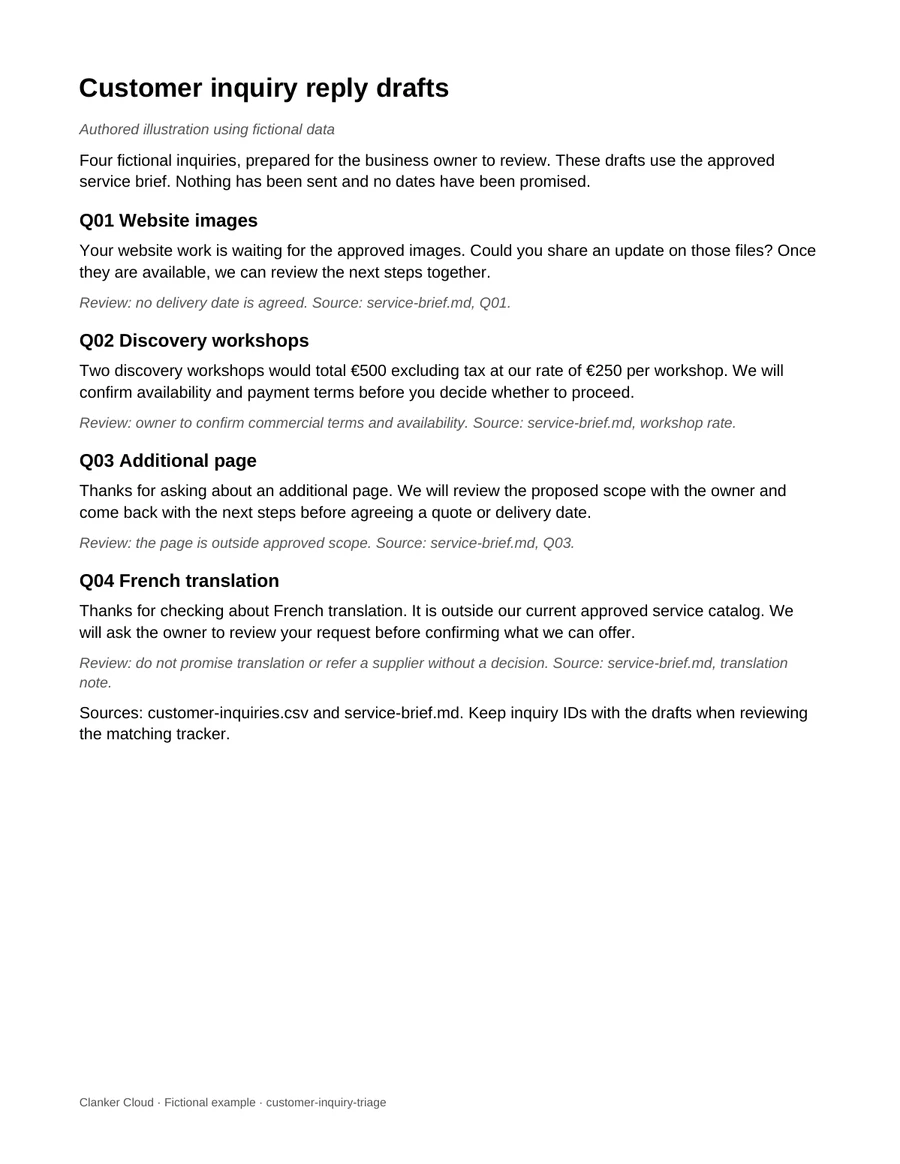
Four editable reply drafts and a matching inquiry tracker, authored from the fictional service brief. Each reply keeps the next owner decision visible. Nothing has been sent.
Download the finished example
- reply-drafts.docx
Four editable customer reply drafts, identified by Q01–Q04, with review notes.
- inquiry-tracker.csv
Each inquiry’s approved facts, proposed next step and review status.
Check the result against its sources
- Two workshops total €500 excluding tax
- service-brief.md: €250 per workshop. Payment terms still need confirmation.
- The image update has no promised date
- service-brief.md: Q01 awaits client-approved images and no delivery date is agreed.
- New scope and translation go to the owner
- service-brief.md: Q03 is outside approved scope; French translation is outside the approved catalog.
Try it with a small example.
Sample files to try
Fictional inputs for this example. Download a file and add it to your Project to follow along.
- customer-inquiries.csv
Four fictional inquiries with IDs; no personal contact details.
- service-brief.md
Approved fictional service facts and the decisions still needed.
Copy into a Workspace Session. Opening Workspace does not send it automatically.
Keep this starter open while you sign in. Add the sample inputs to a Project, then paste the prompt into a Session. Files and prompts are not imported automatically.
An illustrative result.
Fictional sample, written to show the expected structure. Your result depends on your inputs and needs review.
# Inquiry handoff — draft

Q01: explain that the job awaits client-approved images; ask for the image update. No delivery date is promised.
Q02: two discovery workshops total €500 excluding tax; confirm commercial details with the owner.
Q03: additional page needs scope review before a quote or date.
Q04: translation is outside the approved catalog; ask the owner how to respond.

Four inquiry rows and four reply drafts, ready for review. Nothing has been sent.

Illustrative draft using fictional data.
Before you use the result.
- Each inquiry has its own source-based next step.
- Quoted service arithmetic follows the approved rate.
- The owner can review and choose the final response.
Common questions.
Can a small-business owner use AI to prepare customer replies?
Use permitted inquiries and approved service information to prepare an organized tracker and reply drafts. Review facts, tone and commitments before sending.
Does the starter connect to my inbox?
No. The fictional starter uses an uploaded export. A live inbox or customer-system workflow needs a separately supported connection, access and authorization.
Sources: Workspace for small businesses · Build an Agent around your method · Workspace trust center
Content reviewed against the Workspace Guide & FAQ. Features and access can depend on your account.