Give your company update a clear story and a source.
Use Clanker Workspace to bring monthly metrics, company notes and the finished update together. This fictional Cedar Loop starter prepares an investor-update draft with a supporting metrics table, progress, open questions and next steps. Keep the approved reporting format in an Agent so the next month starts with a useful structure.
Create a Project for the update and add the metrics and notes. State the reporting month, currency and reader. Ask for investor-update.md and metrics-summary.csv so the narrative and numbers remain easy to find.
Use the current packet for the next update while keeping your reporting structure in Project instructions or a company-update Agent.
Make the numbers useful to the reader
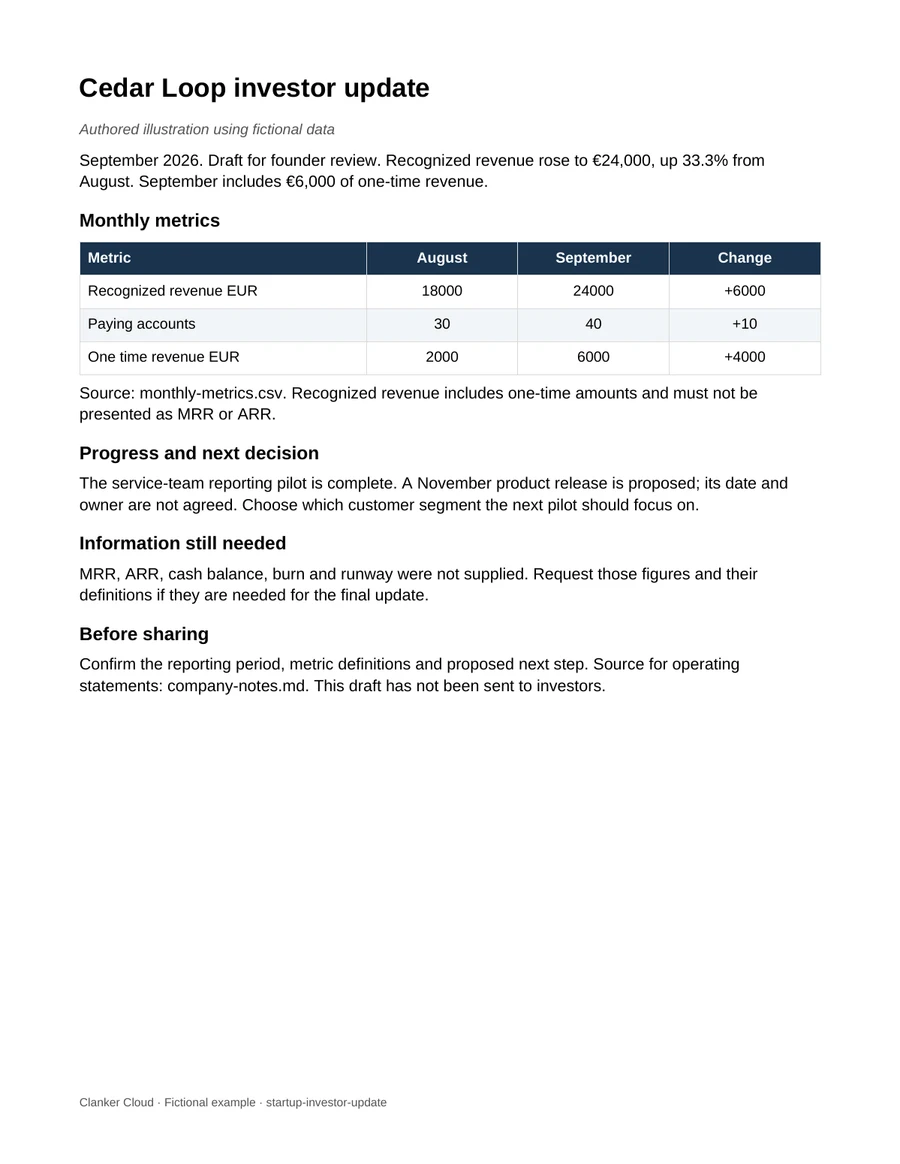
The fictional September revenue is €24,000, up €6,000 from August, or about 33.3%. Paying accounts rise from 30 to 40. September includes €6,000 of one-time revenue.
Keep that qualification with the headline. The packet does not supply MRR, ARR, cash or runway; ask for those inputs when the update needs them.
Leave a clear next conversation
Summarize the completed pilot, the proposed release and the customer-segment question. Keep proposed dates separate from approved commitments. Shape the saved draft for the people who will read it.
Give the next month a familiar starting point
Create a company-update Agent with your preferred sections, metric definitions and selected Tools. For each cycle, select the correct Project and current sources, then review the saved update before sharing.
Start with these fictional sources or material you are permitted to use. Choose the Project, model and Tools for the job. ZDR, data residency and encryption are coming soon.
An editable Word draft and a metrics table, authored from the fictional Cedar Loop packet. They show the reporting structure you can ask an Agent to prepare.
A preview of the downloadable example. This is an illustration, not an executed Agent run.
Copy into a Workspace Session. Opening Workspace does not send it automatically.
Keep this starter open while you sign in. Add the sample inputs to a Project, then paste the prompt into a Session. Files and prompts are not imported automatically.
Fictional sample, written to show the expected structure. Your result depends on your inputs and needs review.
# Cedar Loop — September update draft

Revenue: €24,000, up €6,000 (33.3%) from August. September includes €6,000 of one-time revenue.
Paying accounts: 40, up from 30.

Progress: service-team reporting pilot completed.
Proposed next step: November product release; date and owner still to agree.
Discussion: choose the next pilot segment.

MRR, ARR, cash and runway: not supplied.

Illustrative draft using fictional data.
Before you use the result.
The saved table and narrative use the same month and currency.
The revenue headline keeps the one-time qualification.
The founder can see the next decision and shape the final update.
Common questions.
Can I use AI to prepare a startup investor update?
Use approved metrics, definitions and company notes to prepare a saved draft and supporting table. Review the numbers, qualifications and proposed commitments before sharing.
Can I reuse the update format each month?
Yes. Keep the stable format and method in an Agent or Project instructions, then supply the new period’s source packet for each update.
 Clanker Cloud